WordPress integration
3D product configurator for WordPress
Embed a real-time 3D configurator in any WordPress page or WooCommerce product. Customers build the product, see the price, and add it to the cart or send a quote request. We build it, host it and support it.
Custom-built around your product. Hosting and monthly support included.
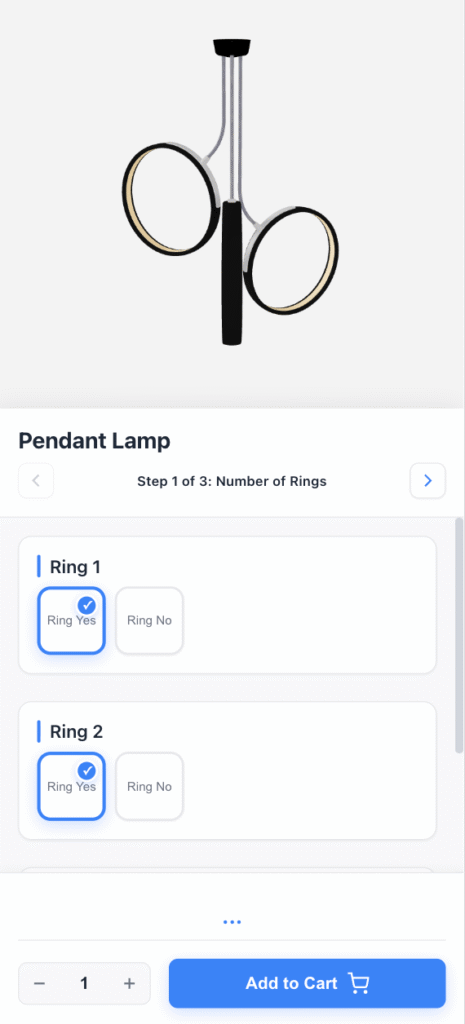 Price updates live Adds to cart
 Quick answer: You can add a product configurator to WordPress in three ways: an add-on plugin like WooCommerce Product Add-Ons or YITH for simple options, a SaaS plugin like Zakeke for template-based 3D, or a custom 3D configurator embedded with a block or shortcode. Plugins fit basic options. A custom build fits real-time 3D, complex rules and a branded experience.
How it connects to your WordPress site
-
1. Embed on any page
A block or shortcode loads the configurator in your existing page or product template. Any theme, any page builder.
-
2. Configure in 3D
Options, rules and price update in real time while the customer builds the product.
-
3. Cart or quote
The configuration goes to the WooCommerce cart, or to a quote request in your inbox or CRM if you do not sell online.
Where WordPress configurator plugins fall short
No real 3D
Add-on plugins show text fields and swatches. The customer configures blind and hopes the result matches.
Plugin stack fragility
Every extra plugin is another update that can conflict with your theme, page builder or WooCommerce version.
Heavy pages on shared hosting
3D assets loaded on every page drag down Core Web Vitals. A configurator has to load only where it is used.
Configurators we have built
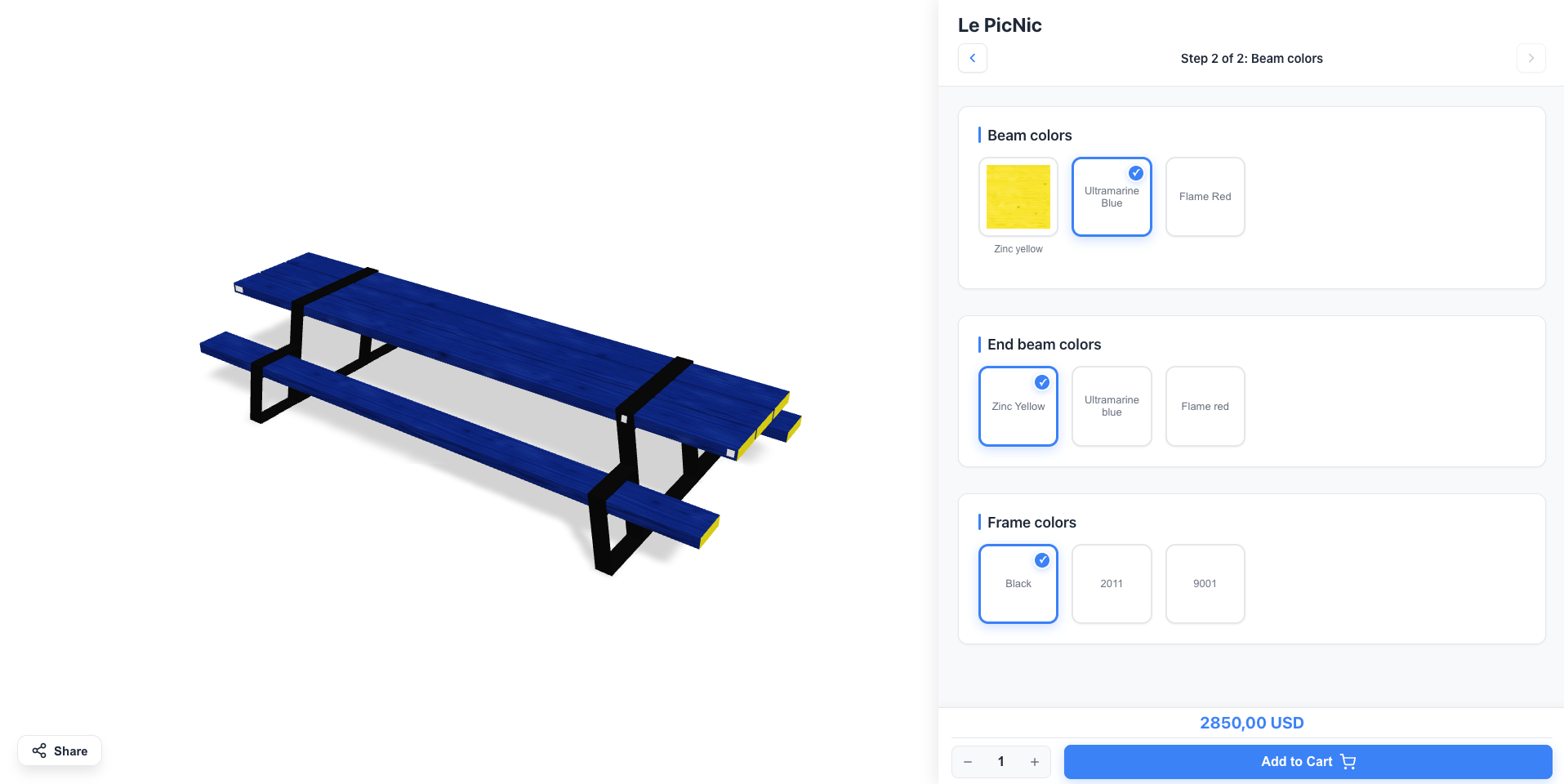 Table Configurator Built for a furniture brand. Customers configure dimensions, materials, and finishes in real-time.
 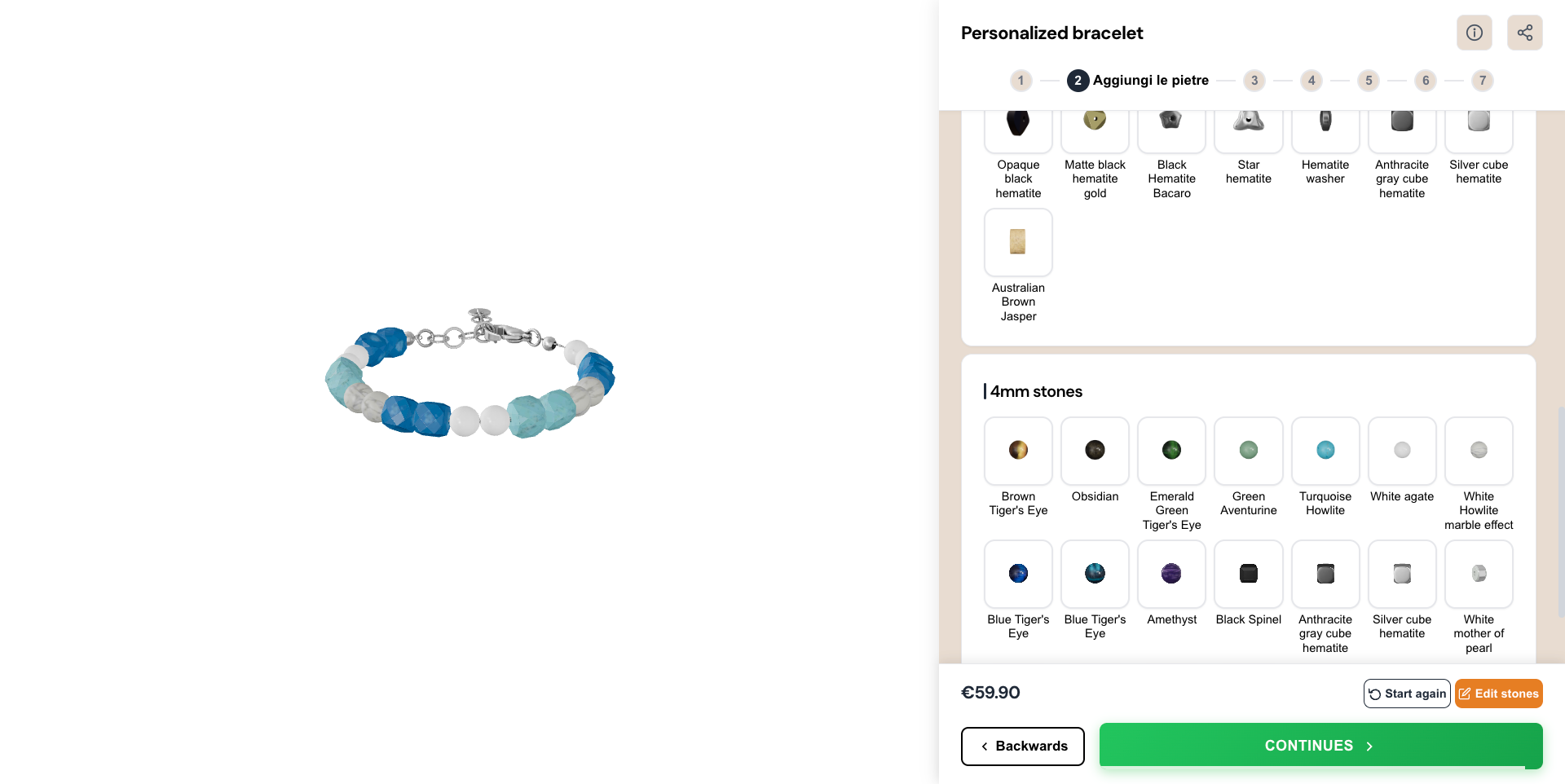 Bracelet Configurator Built for an Italian jewelry store. Customers personalize bracelets with charms, engravings, and materials in real-time 3D.
 WordPress configurator plugins vs a custom 3D configurator
Plugins are fine for descriptive options. This is where they stop.
What you get
Built for your product
3D models, options and business rules designed around what you sell, not a plugin template.
Embedded in WordPress
Placed with a block or shortcode, connected to WooCommerce through its REST API or to your quote workflow.
Hosted and supported
Hosting, updates and monthly support are part of one custom quote. No percentage fee on sales.
Get your instant WordPress quote
Answer 8 quick questions and see your price range right away. Takes about 60 seconds.
- 1Tell us about your product
- 2Leave your email
- 3See your price range instantly
No call needed. Custom-built, hosting and monthly support included.
WordPress product configurator plugins compared
WordPress powers 43% of all websites (W3Techs, 2025). If you sell customizable products on WordPress, with or without WooCommerce, you have more configurator options than you might expect. Some are free plugins. Some are SaaS tools with a WordPress plugin. Some are custom configurators built and run for you.
What “product configurator” means on WordPress
The term covers a wide range. On WordPress it can mean:
- A plugin that adds custom fields (text, color swatch, file upload) to a WooCommerce product page
- A visual builder where customers design on a 2D canvas (common for print, apparel and signage)
- A 3D configurator embedded on a page with a block, shortcode or script
- A custom web app hosted separately and connected to your WordPress site
Each approach has different setup effort, cost and capability. Start from what your customer needs to see and decide before buying.
Option 1: add-on plugins
These plugins extend WooCommerce product pages with extra input fields. They are the fastest to set up and the cheapest to run.
WooCommerce Product Add-Ons
The official extension. It adds text fields, image swatches, checkboxes, dropdowns and file uploads, with conditional logic to show or hide fields. It costs about $79/year.
- Setup: install the plugin, open a product, add fields in the Add-Ons tab. No code.
- Limits: no live preview. The customer sees a text summary, not the product.
YITH WooCommerce Product Add-Ons
Similar fields with more layout control. The free version covers basic fields. The premium version (about $149/year) adds conditional logic and more field types.
- Best for: descriptive options like engraving, measurements or material specs.
Lumise Product Designer
A canvas personalization plugin for print-on-demand. Customers add text, images and graphics to a product template, and the design goes to the WooCommerce cart.
- Best for: apparel, mugs, phone cases and signage the customer designs themselves.
Option 2: SaaS configurator plugins
For visual or 3D experiences, some SaaS platforms ship WordPress plugins.
Zakeke
Zakeke offers a plugin that embeds its 2D and 3D customizer in WooCommerce product pages. Products and 3D models live in the Zakeke dashboard, and you pay a monthly subscription. Your configurator runs on their infrastructure and their templates. See our Zakeke review for the details.
Expivi
Expivi has a WooCommerce plugin for its 3D and AR configurator, embedded via shortcode or block. Pricing is quote-only and aimed at mid-market and enterprise brands.
Option 3: a custom 3D configurator embedded in WordPress
The most flexible approach. The configurator is a standalone web app on its own CDN-backed hosting. On your WordPress page, a block, shortcode or small script loads it where you want it.
When the customer finishes, the configuration (selected options, price, product code) goes to one of two places:
- WooCommerce cart: through the REST API, as a cart item with the exact specification and price. Full details on the WooCommerce 3D configurator page.
- Quote request: for WordPress sites without a store, the configuration lands in your inbox or CRM as a structured request, with a link back to the 3D view.
Because it runs outside your theme, it works with any theme or page builder and does not depend on a plugin vendor keeping up with WordPress updates.
ConfiguraThor works this way. Eyedex builds it around your products, hosts it and supports it monthly, priced by custom quote.
What plugins cannot do
Real-time 3D. Add-on plugins do not render a 3D model that updates as options change.
Complex constraints. Plugins handle show/hide logic. They rarely enforce technical incompatibilities, like a frame that only fits two sizes.
A branded experience. Plugin interfaces look like WooCommerce forms, not like a premium product page.
Catalog scale. Fifty configurable products with thirty options each is a lot of manual field setup in WP admin. Structured product data is easier to maintain.
When to go beyond a plugin
Move past plugins when:
- Customers need to see the product before buying (furniture, lighting, eyewear, equipment)
- You have more than 20 options per product, or options that depend on each other
- Your brand needs a polished visual experience, not a form
- Configuration data has to reach another system, like an ERP, CRM or production tool
If you are still defining the basics, start with what a product configurator is.
Performance on WordPress
3D adds weight, so check three things:
- Hosting: shared hosting struggles with 3D assets. Serve models from a CDN, not your WordPress server.
- Core Web Vitals: load the configurator only on pages that use it, after the main content renders.
- Mobile: test on iOS Safari and Android Chrome, not just desktop. Compressed glTF models keep load times reasonable on phones.
Frequently Asked Questions
What is the best product configurator plugin for WordPress?
For simple options like engraving text or measurements, WooCommerce Product Add-Ons or YITH WooCommerce Product Add-Ons are the standard picks. For print-style personalization, Lumise works on a 2D canvas. For real-time 3D built around your product, no plugin delivers it: you need a custom configurator embedded in WordPress.
Can you add a 3D configurator to WordPress without coding?
Yes. SaaS tools like Zakeke ship a WordPress plugin, and you manage products and 3D models in their dashboard. With ConfiguraThor there is no coding on your side either: Eyedex builds the configurator, embeds it and handles updates as part of monthly support.
Do I need WooCommerce to use a product configurator on WordPress?
Only if you want customers to pay online. Without WooCommerce, a custom configurator can send the full configuration as a quote request to your email or CRM. That fits B2B and made-to-order products where a sales conversation happens before payment.
Does a 3D configurator slow down a WordPress site?
It can if the 3D assets load on every page. A well-built configurator loads only on the pages that use it, after the main content renders, with compressed glTF models served from a CDN. Measure Largest Contentful Paint before and after launch.
What is the difference between a product customizer and a product configurator?
A customizer adds personal touches to an existing design, like text or a photo. A configurator builds a product specification where each choice changes what the product is, like a chair's frame, fabric and legs. Most WordPress plugins are customizers or option forms, not 3D configurators.
Your product deserves better than a dropdown.
Tell us what you sell. We build, host and support your custom 3D configurator.
Get your instant quote